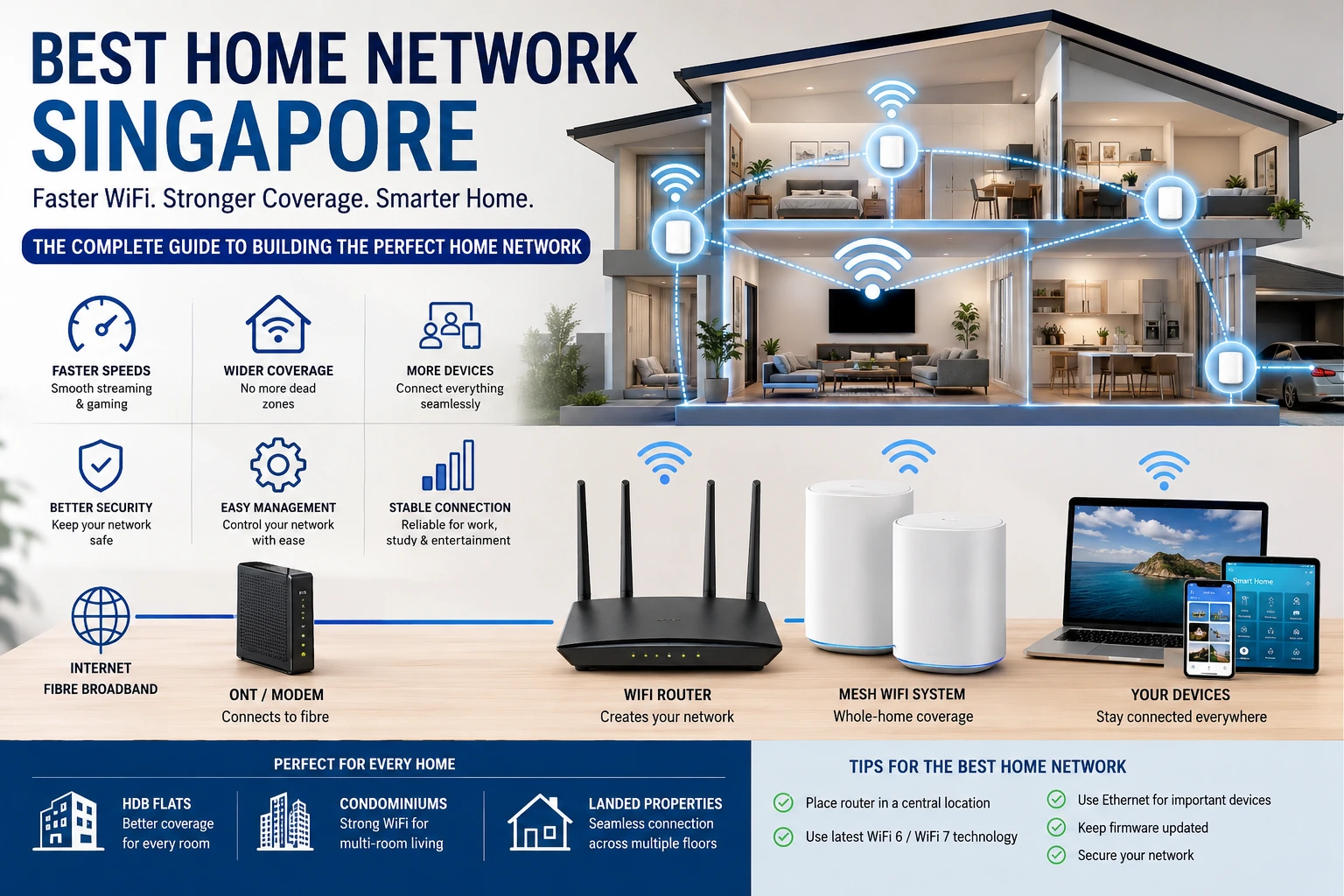
Best Home Network Singapore: Complete Guide to Faster, Smarter Home WiFi 2026
A fast internet connection is only part of the story. Your home network decides how well your internet actually performs. You can subscribe to the fastest broadband plan in Singapore, but if your router is old or your WiFi coverage is poor, you’ll still deal with buffering, slow downloads, and weak signals.
That’s why choosing the Best Home Network Singapore setup matters.
Whether you work from home, stream Netflix in 4K, attend online meetings, play competitive games, or have dozens of smart home devices, a reliable network keeps everything running smoothly.
This guide explains what makes the Best Home Network Singapore, which equipment is worth buying, how much you should expect to spend, and the mistakes that many homeowners make.
Why Your Home Network Matters
Many people think internet speed alone fixes every problem.
It doesn’t.
A home network includes your broadband connection, modem or Optical Network Terminal (ONT), WiFi router, mesh system, switches, Ethernet cables, and every connected device. If one part performs poorly, the entire experience suffers.
A good home network offers:
- Faster WiFi throughout the house
- Better video calls
- Stable online gaming
- Smooth 4K and 8K streaming
- Better security
- Reliable smart home connections
- Less buffering
- Fewer dead zones
Signs You Need a Better Home Network
Your current setup may need an upgrade if you notice:
- WiFi disconnects regularly
- Slow internet in bedrooms
- Dead spots around the house
- Buffering while streaming
- Gaming lag
- Video calls freezing
- Smart devices disconnecting
- Slow downloads despite a fast broadband plan
These are common issues in Singapore apartments and larger landed homes.
Best Home Network Singapore Components
| Component | Why It Matters |
|---|---|
| Fibre Broadband | Provides internet access |
| ONT/Modem | Connects fibre line to router |
| WiFi Router | Creates wireless network |
| Mesh WiFi | Expands coverage across the home |
| Ethernet Cable | Delivers maximum speed |
| Network Switch | Adds more wired ports |
| Smart Security Settings | Protects connected devices |
Every part works together to create the Best Home Network Singapore.
Best Router Features to Look For
Not every router performs the same.
Look for these features:
- WiFi 6 or WiFi 7 support
- Dual-band or Tri-band technology
- WPA3 security
- Gigabit LAN ports
- Easy mobile app management
- Beamforming
- OFDMA support
- MU-MIMO technology
- Automatic firmware updates
- Quality of Service (QoS)
These features improve speed and reduce network congestion.
Mesh WiFi vs Traditional Router
Many Singapore homes benefit from mesh WiFi because reinforced walls often weaken wireless signals.
| Feature | Traditional Router | Mesh WiFi |
|---|---|---|
| Coverage | Medium | Excellent |
| Dead Zones | Common | Very Low |
| Roaming | Limited | Seamless |
| Easy Expansion | No | Yes |
| Large Homes | Average | Excellent |
| Multi-floor Homes | Weak | Strong |
If you’re building the Best Home Network Singapore, mesh WiFi is often the better choice.
Internet Speed Recommendations
Different households need different speeds.
A family of two that mostly browses websites doesn’t need the same network as a household with gamers and multiple smart TVs.
General recommendations:
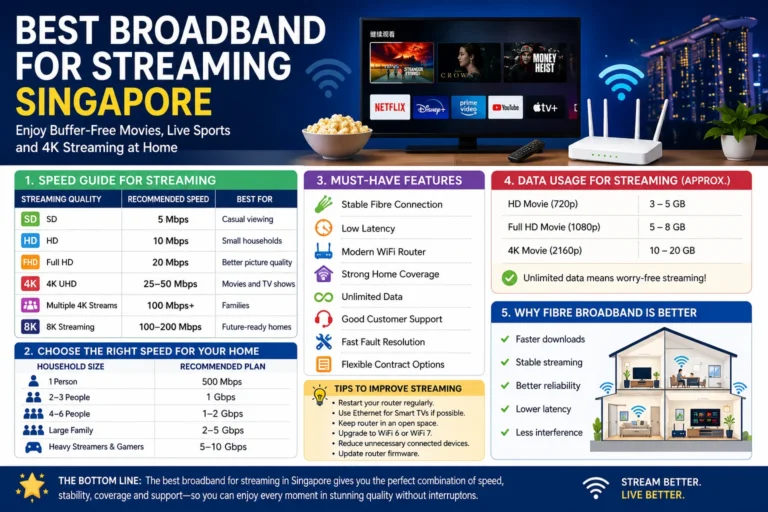
- 300 Mbps for light users
- 500 Mbps for small families
- 1 Gbps for larger households
- 2 Gbps or more for heavy users and smart homes
The right broadband plan should match your daily usage.
Best Home Network Singapore for Different Homes
HDB Flats
A quality WiFi 6 router is often enough for smaller flats.
For larger 5-room flats, adding one mesh node can improve coverage.
Condominiums
Concrete walls sometimes block WiFi signals.
A dual-node mesh system usually provides much better coverage.
Landed Houses
Multiple floors require several mesh nodes connected with Ethernet whenever possible.
This creates one seamless WiFi network throughout the property.
Wired vs Wireless Connections
Wireless technology keeps improving.
But Ethernet still wins.
Use wired connections for:
- Gaming PCs
- Smart TVs
- NAS storage
- Desktop computers
- Home offices
Leave WiFi for:
- Smartphones
- Tablets
- Laptops
- Smart speakers
- Smart lights
- Security cameras
The Best Home Network Singapore combines both wired and wireless connections.
Smart Home Devices Need Better Networks
Modern Singapore homes now include:
- Smart locks
- Doorbells
- Cameras
- Air conditioners
- Robot vacuums
- Smart lighting
- Voice assistants
Each device shares your WiFi.
As more devices connect, network quality becomes even more important.
A stronger router handles dozens of devices without slowing everything down.
Home Network Security Tips
Security should never be ignored.
Simple steps include:
- Change default passwords
- Use WPA3 encryption
- Enable automatic updates
- Create guest WiFi
- Disable unused features
- Turn on firewall protection
- Review connected devices regularly
A secure network protects your personal information.
Common Home Networking Mistakes
Many homeowners accidentally reduce WiFi performance.
Common mistakes include:
- Placing the router inside a cabinet
- Keeping the router on the floor
- Using outdated routers
- Ignoring firmware updates
- Buying the cheapest equipment
- Using one router for a very large house
- Placing mesh nodes too far apart
Even small changes can noticeably improve performance.
How Much Does a Home Network Cost in Singapore?
Prices vary depending on your home size.
Entry-level setup:
- Fibre broadband
- WiFi 6 router
Mid-range setup:
- Premium router
- Two-node mesh system
Premium setup:
- WiFi 7 equipment
- Multi-node mesh
- Ethernet backhaul
- Smart network management
While premium systems cost more initially, they often deliver better long-term performance.
Tips for Building the Best Home Network Singapore
Follow these simple practices:
- Position your router in a central location.
- Upgrade to WiFi 6 or WiFi 7 when possible.
- Use mesh WiFi for larger homes.
- Connect important devices with Ethernet.
- Restart networking equipment occasionally.
- Update firmware regularly.
- Replace very old routers.
- Secure your network with strong passwords.
These habits help maintain consistent performance.
Conclusion
Finding the Best Home Network Singapore isn’t just about buying the fastest broadband package. Your router, mesh system, network layout, and security settings all play a major role in daily internet performance.
A well-designed home network means smoother streaming, stronger video calls, faster downloads, lower gaming latency, and better coverage in every room. Whether you live in an HDB flat, condominium, or landed property, investing in the right setup today will give you a faster and more reliable online experience for years to come.
What is the Best Home Network Singapore setup?
Most homes benefit from fibre broadband, a WiFi 6 or WiFi 7 router, and a mesh WiFi system if additional coverage is needed.
Is mesh WiFi better than a normal router?
For larger homes or homes with multiple rooms, mesh WiFi usually provides better coverage and fewer dead zones.
Should I use Ethernet cables?
Yes. Ethernet offers faster speeds, lower latency, and greater reliability for gaming, work, and streaming.
How often should I replace my router?
Most routers should be upgraded every 4–6 years, especially if they no longer support the latest WiFi standards.
Is WiFi 7 worth buying?
If you’re purchasing new networking equipment and have many connected devices, WiFi 7 is a strong long-term investment.
How can I improve my WiFi without changing my internet plan?
Move your router to a better location, update its firmware, reduce interference, use Ethernet where possible, or install a mesh WiFi system to improve coverage.

Global Arena is a Singapore-focused SEO and digital marketing brand with a network of 25+ publisher websites, helping businesses strengthen their online presence through guest posting, link building, content marketing, and digital PR.
For collaborations, publishing opportunities, or business inquiries:
Hamza@globalarena.org | WhatsApp: +971 52 399 4589